Wednesday, September 26, 2012

How to make a computer faster


Speed up your PC

1. Remove spyware, and help protect your computer from viruses
Spyware collects personal information without letting you know and without asking for permission. From the websites you visit to user names and passwords, spyware can put you and your confidential information at risk. In addition to privacy concerns, spyware can hamper your computer's performance. To combat spyware, you might want to consider using the PC safety scan from Windows Live OneCare. This scan is a free service that helps check for and remove viruses.
Download Microsoft Security Essentials for free to help guard your system in the future from viruses, spyware, adware, and other malicious software (also known as malware). Microsoft Security Essentials acts as a spyware removal tool and includes automatic updates to help keep your system protected from emerging threats.
The Microsoft Windows Malicious Software Removal Tool is another utility that checks computers running Windows 7, Windows Vista, Windows XP, Windows 2000, and Windows Server 2003 for infections by specific, prevalent malicious software, including Blaster, Sasser, and Mydoom, and helps remove any infection found.
2. Free up disk space
The Disk Cleanup tool helps you to free up space on your hard disk to improve the performance of your computer. The tool identifies files that you can safely delete and then enables you to choose whether you want to delete some or all of the identified files.
Use Disk Cleanup to:

Remove temporary Internet files.
Delete downloaded program files, such as Microsoft ActiveX controls and Java applets.
Empty the Recycle Bin.
Remove Windows temporary files, such as error reports.
Delete optional Windows components that you don't use.
Delete installed programs that you no longer use.
Remove unused restore points and shadow copies from System Restore.
Tip: Typically, temporary Internet files take the most amount of space because the browser caches each page you visit for faster access later.
To use Disk Cleanup:

Windows 7 users


Windows Vista users


Windows XP users


3. Speed up access to data
Disk fragmentation slows the overall performance of your system. When files are fragmented, the computer must search the hard disk as a file is opened (to piece it back together). The response time can be significantly longer.
Disk Defragmenter (sometimes shortened to Defrag by users) is a Windows utility that consolidates fragmented files and folders on your computer's hard disk so that each occupies a single space on the disk. With your files stored neatly end to end, without fragmentation, reading and writing to the disk speeds up.
When to run Disk Defragmenter
In addition to running Disk Defragmenter at regular intervals (weekly is optimal), there are other times you should run it, too, such as when:
You add a large number of files.
Your free disk space totals 15 percent or less.
You install new programs or a new version of the Windows operating system.
To use Disk Defragmenter:

Windows 7 users


Windows Vista users


Windows XP users


Running Disk Cleanup and Disk Defragmenter on a regular basis is a proven way to help keep your computer running quickly and efficiently. If you'd like to learn how to schedule these tools and others to run automatically, please read Speed up your PC: Automate your computer maintenance schedule.
4. Detect and repair disk errors
In addition to running Disk Cleanup and Disk Defragmenter to optimize the performance of your computer, you can check the integrity of the files stored on your hard disk by running the Error Checking utility.
As you use your hard drive, it can develop bad sectors. Bad sectors slow down hard disk performance and sometimes make data writing (such as file saving) difficult or even impossible. The Error Checking utility scans the hard drive for bad sectors and scans for file system errors to see whether certain files or folders are misplaced.
If you use your computer daily, you should run this utility once a week to help prevent data loss.

Run the Error Checking utility:


5. Learn about ReadyBoost
If you're using Windows 7 or Windows Vista, you can use ReadyBoost to speed up your system. A new concept in adding memory to a system, it allows you to use non-volatile flash memory—like a USB flash drive or a memory card—to improve performance without having to add additional memory.
Learn more about ReadyBoost in Windows 7.
Learn more about ReadyBoost in Windows Vista.
6.  Upgrade  to  Windows 7
If you try all the previous remedies and your computer still isn't as fast as you would like it to be, you may want to consider updating to Windows 7.
Find out if your computer can run Windows 7 using the Upgrade Advisor.
Compare Window 7 editions.
Read a third-party review of Windows 7 by David Pogue of The New York Times.
If the Windows 7 Upgrade Advisor determines that your computer can't run Windows 7 and you still have the need for speed, it might be time for a new computer. There are some great deals on new computers right now:
Shop for new desktop computers.
Shop for new laptop computers.
Shop for netbooks.

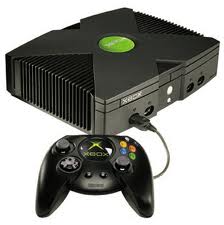
Copy X box game

BURNING X-BOX & GAMECUBE GAMES USEING CDRWIN


1) Insert your original in your CD-ROM.
2) Open CDRWin (or any other image extractor) to make an iso image of the game
on your hard disc. Click on 'Extract Disc/Tracks/Sectors'
3) Here are the settings which work for me (!):
Disc Image/Cue sheet
File-Format: Automatic
Reading-Options:
RAW, CD+G, CD-TEXT and MCN/USRC all Unchecked
Error Recovery: Ignore
Jitter Correction: Auto
Subcode Analyses: Fixed
Data-Speed: MAX
Read Retry Count: 10
Audio Speed: MAX
Subcode Threshold: 900
There are a lot of reports, that Raw reading also works, but I had problems with it enabled.
4) Click on 'Start'
--------------------------------------------------------------------------------
RECORDING TO A DISC
--------------------------------------------------------------------------------
1) Install Fireburner

2) Double click on the Cue File For The Game
3) Right Click And select burn To CD
That?s all there is record DAO, and you can try to burn it fast at 2X
Using PNY Black Diamond CDR'

Tuesday, September 25, 2012

10 reasons why PCs crash U must Know

Why PCs crash


Fatal error: the system has become unstable or is busy," it says. "Enter to return to Windows or press Control-Alt-Delete to restart your computer. If you do this you will lose any unsaved information in all open applications."

You have just been struck by the Blue Screen of Death. Anyone who uses Mcft Windows will be familiar with this. What can you do? More importantly, how can you prevent it happening?

1 Hardware conflict

The number one reason why Windows crashes is hardware conflict. Each hardware device communicates to other devices through an interrupt request channel (IRQ). These are supposed to be unique for each device.

For example, a printer usually connects internally on IRQ 7. The keyboard usually uses IRQ 1 and the floppy disk drive IRQ 6. Each device will try to hog a single IRQ for itself.

If there are a lot of devices, or if they are not installed properly, two of them may end up sharing the same IRQ number. When the user tries to use both devices at the same time, a crash can happen. The way to check if your computer has a hardware conflict is through the following route:

* Start-Settings-Control Panel-System-Device Manager.

Often if a device has a problem a yellow '!' appears next to its description in the Device Manager. Highlight Computer (in the Device Manager) and press Properties to see the IRQ numbers used by your computer. If the IRQ number appears twice, two devices may be using it.

Sometimes a device might share an IRQ with something described as 'IRQ holder for PCI steering'. This can be ignored. The best way to fix this problem is to remove the problem device and reinstall it.

Sometimes you may have to find more recent drivers on the internet to make the device function properly. A good resource is www.driverguide.com. If the device is a soundcard, or a modem, it can often be fixed by moving it to a different slot on the motherboard (be careful about opening your computer, as you may void the warranty).

When working inside a computer you should switch it off, unplug the mains lead and touch an unpainted metal surface to discharge any static electricity.

To be fair to Mcft, the problem with IRQ numbers is not of its making. It is a legacy problem going back to the first PC designs using the IBM 8086 chip. Initially there were only eight IRQs. Today there are 16 IRQs in a PC. It is easy to run out of them. There are plans to increase the number of IRQs in future designs.

2 Bad Ram


Ram (random-access memory) problems might bring on the blue screen of death with a message saying Fatal Exception Error. A fatal error indicates a serious hardware problem. Sometimes it may mean a part is damaged and will need replacing.

But a fatal error caused by Ram might be caused by a mismatch of chips. For example, mixing 70-nanosecond (70ns) Ram with 60ns Ram will usually force the computer to run all the Ram at the slower speed. This will often crash the machine if the Ram is overworked.

One way around this problem is to enter the BIOS settings and increase the wait state of the Ram. This can make it more stable. Another way to troubleshoot a suspected Ram problem is to rearrange the Ram chips on the motherboard, or take some of them out. Then try to repeat the circumstances that caused the crash. When handling Ram try not to touch the gold connections, as they can be easily damaged.

Parity error messages also refer to Ram. Modern Ram chips are either parity (ECC) or non parity (non-ECC). It is best not to mix the two types, as this can be a cause of trouble.

EMM386 error messages refer to memory problems but may not be connected to bad Ram. This may be due to free memory problems often linked to old Dos-based programmes.

3 BIOS settings

Every motherboard is supplied with a range of chipset settings that are decided in the factory. A common way to access these settings is to press the F2 or delete button during the first few seconds of a boot-up.

Once inside the BIOS, great care should be taken. It is a good idea to write down on a piece of paper all the settings that appear on the screen. That way, if you change something and the computer becomes more unstable, you will know what settings to revert to.

A common BIOS error concerns the CAS latency. This refers to the Ram. Older EDO (extended data out) Ram has a CAS latency of 3. Newer SDRam has a CAS latency of 2. Setting the wrong figure can cause the Ram to lock up and freeze the computer's display.

Mcft Windows is better at allocating IRQ numbers than any BIOS. If possible set the IRQ numbers to Auto in the BIOS. This will allow Windows to allocate the IRQ numbers (make sure the BIOS setting for Plug and Play OS is switched to 'yes' to allow Windows to do this.).

4 Hard disk drives

After a few weeks, the information on a hard disk drive starts to become piecemeal or fragmented. It is a good idea to defragment the hard disk every week or so, to prevent the disk from causing a screen freeze. Go to

* Start-Programs-Accessories-System Tools-Disk Defragmenter

This will start the procedure. You will be unable to write data to the hard drive (to save it) while the disk is defragmenting, so it is a good idea to schedule the procedure for a period of inactivity using the Task Scheduler.

The Task Scheduler should be one of the small icons on the bottom right of the Windows opening page (the desktop).

Some lockups and screen freezes caused by hard disk problems can be solved by reducing the read-ahead optimisation. This can be adjusted by going to

* Start-Settings-Control Panel-System Icon-Performance-File System-Hard Disk.

Hard disks will slow down and crash if they are too full. Do some housekeeping on your hard drive every few months and free some space on it. Open the Windows folder on the C drive and find the Temporary Internet Files folder. Deleting the contents (not the folder) can free a lot of space.

Empty the Recycle Bin every week to free more space. Hard disk drives should be scanned every week for errors or bad sectors. Go to

* Start-Programs-Accessories-System Tools-ScanDisk

Otherwise assign the Task Scheduler to perform this operation at night when the computer is not in use.

5 Fatal OE exceptions and VXD errors

Fatal OE exception errors and VXD errors are often caused by video card problems.

These can often be resolved easily by reducing the resolution of the video display. Go to

* Start-Settings-Control Panel-Display-Settings

Here you should slide the screen area bar to the left. Take a look at the colour settings on the left of that window. For most desktops, high colour 16-bit depth is adequate.

If the screen freezes or you experience system lockups it might be due to the video card. Make sure it does not have a hardware conflict. Go to

* Start-Settings-Control Panel-System-Device Manager

Here, select the + beside Display Adapter. A line of text describing your video card should appear. Select it (make it blue) and press properties. Then select Resources and select each line in the window. Look for a message that says No Conflicts.

If you have video card hardware conflict, you will see it here. Be careful at this point and make a note of everything you do in case you make things worse.

The way to resolve a hardware conflict is to uncheck the Use Automatic Settings box and hit the Change Settings button. You are searching for a setting that will display a No Conflicts message.

Another useful way to resolve video problems is to go to

* Start-Settings-Control Panel-System-Performance-Graphics

Here you should move the Hardware Acceleration slider to the left. As ever, the most common cause of problems relating to graphics cards is old or faulty drivers (a driver is a small piece of software used by a computer to communicate with a device).

Look up your video card's manufacturer on the internet and search for the most recent drivers for it.

6 Viruses

Often the first sign of a virus infection is instability. Some viruses erase the boot sector of a hard drive, making it impossible to start. This is why it is a good idea to create a Windows start-up disk. Go to

* Start-Settings-Control Panel-Add/Remove Programs

Here, look for the Start Up Disk tab. Virus protection requires constant vigilance.

A virus scanner requires a list of virus signatures in order to be able to identify viruses. These signatures are stored in a DAT file. DAT files should be updated weekly from the website of your antivirus software manufacturer.

An excellent antivirus programme is McAfee VirusScan by Network Associates ( www.nai.com). Another is Norton AntiVirus 2000, made by Symantec ( www.symantec.com).

7 Printers

The action of sending a document to print creates a bigger file, often called a postscript file.

Printers have only a small amount of memory, called a buffer. This can be easily overloaded. Printing a document also uses a considerable amount of CPU power. This will also slow down the computer's performance.

If the printer is trying to print unusual characters, these might not be recognised, and can crash the computer. Sometimes printers will not recover from a crash because of confusion in the buffer. A good way to clear the buffer is to unplug the printer for ten seconds. Booting up from a powerless state, also called a cold boot, will restore the printer's default settings and you may be able to carry on.

8 Software

A common cause of computer crash is faulty or badly-installed software. Often the problem can be cured by uninstalling the software and then reinstalling it. Use Norton Uninstall or Uninstall Shield to remove an application from your system properly. This will also remove references to the programme in the System Registry and leaves the way clear for a completely fresh copy.

The System Registry can be corrupted by old references to obsolete software that you thought was uninstalled. Use Reg Cleaner by Jouni Vuorio to clean up the System Registry and remove obsolete entries. It works on Windows 95, Windows 98, Windows 98 SE (Second Edition), Windows Millennium Edition (ME), NT4 and Windows 2000.

Read the instructions and use it carefully so you don't do permanent damage to the Registry. If the Registry is damaged you will have to reinstall your operating system. Reg Cleaner can be obtained from www.jv16.org

Often a Windows problem can be resolved by entering Safe Mode. This can be done during start-up. When you see the message "Starting Windows" press F4. This should take you into Safe Mode.

Safe Mode loads a minimum of drivers. It allows you to find and fix problems that prevent Windows from loading properly.

Sometimes installing Windows is difficult because of unsuitable BIOS settings. If you keep getting SUWIN error messages (Windows setup) during the Windows installation, then try entering the BIOS and disabling the CPU internal cache. Try to disable the Level 2 (L2) cache if that doesn't work.

Remember to restore all the BIOS settings back to their former settings following installation.

9 Overheating

Central processing units (CPUs) are usually equipped with fans to keep them cool. If the fan fails or if the CPU gets old it may start to overheat and generate a particular kind of error called a kernel error. This is a common problem in chips that have been overclocked to operate at higher speeds than they are supposed to.

One remedy is to get a bigger better fan and install it on top of the CPU. Specialist cooling fans/heatsinks are available from www.computernerd.com or www.coolit.com

CPU problems can often be fixed by disabling the CPU internal cache in the BIOS. This will make the machine run more slowly, but it should also be more stable.

10 Power supply problems

With all the new construction going on around the country the steady supply of electricity has become disrupted. A power surge or spike can crash a computer as easily as a power cut.

If this has become a nuisance for you then consider buying a uninterrupted power supply (UPS). This will give you a clean power supply when there is electricity, and it will give you a few minutes to perform a controlled shutdown in case of a power cut.

It is a good investment if your data are critical, because a power cut will cause any unsaved data to be lost.

Speeding up menus in XP


How to speed up menus in XP

Go to Start --> Run --> Regedt32

Go to HKEY_CURRENT_USER\Control Panel\Desktop

Locate the key called "MenuShowDelay" and it is probably set to 400.

Change that value to 150.

Reboot your computer.

You should notice a slight increase in the speed of your menus

Monday, September 24, 2012

250+ Tech books online


List of best books...


1
10 minute guide to lotus notes mail 4.5
http://www.parsian.net/set1252/pages/books.htm

2
10 minute guide to Microsoft exchange 5.0
http://www.parsian.net/set1252/pages/books.htm

3
10 minute guide to outlook 97

http://www.parsian.net/set1252/pages/books.htm

4
10 minute guide to schedule+ for windows 95
http://www.parsian.net/set1252/pages/books.htm

5
ActiveX programming unleashed
http://www.parsian.net/set1252/pages/books.htm

6
ActiveX programming unleashed
http://www.emu.edu.tr/english/facilitiesservices/computercenter/bookslib/

7
Advanced perl programming
http://www.hk8.org/old_web/

8
Advanced PL/SQL programming with packages
http://www.hk8.org/old_web/

9
Adventure in Prolog/AMZI
www.oopweb.com

10
Algorithms CMSC251/Mount, David
www.oopweb.com

11
Alison Balter's Mastering Access 95 development, premier ed.
http://www.emu.edu.tr/english/facilitiesservices/computercenter/bookslib/

12
Apache : The definitive guide, 3rd.ed.
http://www.hk8.org/old_web/

13
Beej's guide to network programming/Hall, Brain
www.oopweb.com

14
Beyond Linux from Scratch/BLFS Development Team
http://book.onairweb.net/computer/os/linux/Administration/Beyond_Linux_From_Scratch/

15
Borland C++ builder unleashed
http://www.parsian.net/set1252/pages/books.htm

16
Building an intranet with windows NT 4
http://www.parsian.net/set1252/pages/books.htm

17
Building an Intranet with Windows NT 4
http://www.emu.edu.tr/english/facilitiesservices/computercenter/bookslib/

18
Building expert systems in prolog/AMZI
www.oopweb.com

19
C programming language
http://book.onairweb.net/computer/pl/C/The_C_Programming_Language_by_K&R/

20
C Programming/Holmes, Steven
www.oopweb.com

21
C++ Annotations
www.oopweb.com

22
CGI developer's guide
http://www.emu.edu.tr/english/facilitiesservices/computercenter/bookslib/

23
CGI manual of style
http://www.parsian.net/set1252/pages/books.htm

24
CGI manual of style online
http://www.emu.edu.tr/english/facilitiesservices/computercenter/bookslib/

25
CGI programming
http://www.hk8.org/old_web/

26
CGI programming unleashed
http://www.parsian.net/set1252/pages/books.htm

27
CGI programming with Perl, 2nd.ed.
http://www.hk8.org/old_web/

28
Charlie Calvert's Borland C++ builder unleashed
http://www.emu.edu.tr/english/facilitiesservices/computercenter/bookslib/

29
Client/server computing, 2nd.ed.
http://www.parsian.net/set1252/pages/books.htm

30
Client-server computing, 2nd.ed.
http://www.emu.edu.tr/english/facilitiesservices/computercenter/bookslib/

31
Common LISP, the language/Steele, Guy
www.oopweb.com

32
Compilers and compiler generators : an introduction with C++/Terry, P.D.
www.oopweb.com

33
Complete idiot's guide to creating HTML webpage
http://www.parsian.net/set1252/pages/books.htm

34
Computer graphics CMSC 427/Mount, David
www.oopweb.com

35
Configuring and troubleshooting the windows NT/95 registry
http://www.parsian.net/set1252/pages/books.htm

36
Creating commercial websites
http://www.emu.edu.tr/english/facilitiesservices/computercenter/bookslib/

37
Creating web applets with Java
http://www.emu.edu.tr/english/facilitiesservices/computercenter/bookslib/

38
Crystal Reports.NET
http://www.crystalreportsbook.com/Chapters.asp

39
Curious about the internet
http://www.emu.edu.tr/english/facilitiesservices/computercenter/bookslib/

40
Curious about the internet?
http://www.parsian.net/set1252/pages/books.htm

41
Dan appleman's developing activeX components with Visual Basic 5
http://www.emu.edu.tr/english/facilitiesservices/computercenter/bookslib/

42
Dan appleman's developing activex components with Visual Basic 5.0
http://www.parsian.net/set1252/pages/books.htm

43
Data structures CMSC420/Mount, David
www.oopweb.com

44
Database developer's guide with visual basic 4, 2nd.ed.
http://www.parsian.net/set1252/pages/books.htm

45
Database developer's guide with Visual Basic 4, 2nd.ed.
http://www.emu.edu.tr/english/facilitiesservices/computercenter/bookslib/

46
Database developer's guide with Visual C++ 4, 2nd.ed.
http://www.parsian.net/set1252/pages/books.htm

47
Database developer's guide with Visual C++ 4, 2nd.ed.
http://www.emu.edu.tr/english/facilitiesservices/computercenter/bookslib/

48
Design and analysis of computer algorithms CMSC451/Mount, David
www.oopweb.com

49
Designing implementing Microsoft internet information server
http://www.emu.edu.tr/english/facilitiesservices/computercenter/bookslib/

50
Designing implementing Microsoft proxy server
http://www.emu.edu.tr/english/facilitiesservices/computercenter/bookslib/

51
Developing for netscape one
http://www.parsian.net/set1252/pages/books.htm

52
Developing intranet applications with java
http://www.parsian.net/set1252/pages/books.htm

53
Developing personal oracle 7 for windows 95 applications
http://www.parsian.net/set1252/pages/books.htm

54
Developing personal Oracle 7 for windows 95 applications
http://www.emu.edu.tr/english/facilitiesservices/computercenter/bookslib/

55
Developing professional java applets
http://www.parsian.net/set1252/pages/books.htm

56
Developing professional java applets
http://www.emu.edu.tr/english/facilitiesservices/computercenter/bookslib/

57
DNS and BIND
http://www.hk8.org/old_web/

58
Doing objects with VB.NET and C#
http://vbwire.com/nl?6814

59
EAI/BPM Evaluation Series: IBM WebSphere MQ Workflow v3.3.2 & EAI Suite by
> Middleware Technology Evaluation Series, Phong Tran & Jeffrey Gosper
http://www.cmis.csiro.au/mte/reports/BPM_IBMwebsphereMQ332.htm

60
Effective AWK programming
http://book.onairweb.net/computer/os/shell/Effective_AWK_Programming/

61
Enterprise javabeans, 2nd.ed.
http://www.hk8.org/old_web/

62
Exploring java
http://www.hk8.org/old_web/

63
GNOME/Sheets, John
www.oopweb.com

64
Graph theory/Prof. Even
www.oopweb.com

65
Hacking java
http://www.parsian.net/set1252/pages/books.htm

66
How intranets work
http://www.parsian.net/set1252/pages/books.htm

67
How intranets work
http://www.emu.edu.tr/english/facilitiesservices/computercenter/bookslib/

68
How to program visual basic 5.0
http://www.parsian.net/set1252/pages/books.htm

69
How to use HTML 3.2
http://www.parsian.net/set1252/pages/books.htm

70
Html : The definitive guide
http://www.hk8.org/old_web/

71
HTML 3.2 & CGI unleashed
http://www.parsian.net/set1252/pages/books.htm

72
HTML 3.2 and CGI professional reference edition unleashed
http://www.emu.edu.tr/english/facilitiesservices/computercenter/bookslib/

73
HTML by example
http://www.emu.edu.tr/english/facilitiesservices/computercenter/bookslib/

74
Internet firewall
http://www.hk8.org/old_web/

75
Intranets unleashed
http://www.parsian.net/set1252/pages/books.htm

76
Introduction to object-oriented programming using C++/Muller, Peter
www.oopweb.com

77
Introduction to programming using Java/Eck, David
www.oopweb.com

78
Introduction to socket programming
http://book.onairweb.net/computer/network/An_Introduction_to_Socket_Programming/

79
Java 1.1 unleashed
http://www.emu.edu.tr/english/facilitiesservices/computercenter/bookslib/

80
Java 1.1 unleashed, 2nd.ed.
http://www.parsian.net/set1252/pages/books.htm

81
Java 1.1 unleashed, 3rd.ed.
http://www.parsian.net/set1252/pages/books.htm

82
Java 114 documentation
http://www.emu.edu.tr/english/facilitiesservices/computercenter/bookslib/

83
Java AWT reference
http://www.hk8.org/old_web/

84
Java by example
http://www.emu.edu.tr/english/facilitiesservices/computercenter/bookslib/

85
Java developer's guide
http://www.parsian.net/set1252/pages/books.htm

86
Java developer's guide
http://www.emu.edu.tr/english/facilitiesservices/computercenter/bookslib/

87
Java developer's reference
http://www.parsian.net/set1252/pages/books.htm

88
Java developer's reference
http://www.emu.edu.tr/english/facilitiesservices/computercenter/bookslib/

89
Java Distributed computing
http://www.hk8.org/old_web/

90
Java enterprise
http://www.hk8.org/old_web/

91
Java enterprise in a nutshell
http://www.hk8.org/old_web/

92
Java foundation classes in a nutshell
http://www.hk8.org/old_web/

93
Java fundamental classes reference
http://www.hk8.org/old_web/

94
Java in a nutshell
http://www.hk8.org/old_web/

95
Java in a nutshell, 3rd.ed.
http://www.hk8.org/old_web/

96
Java language reference
http://www.hk8.org/old_web/

97
Java security
http://www.hk8.org/old_web/

98
Java servlet programming
http://www.hk8.org/old_web/

99
Java unleashed
http://www.parsian.net/set1252/pages/books.htm

100
Java unleashed
http://www.emu.edu.tr/english/facilitiesservices/computercenter/bookslib/

101
Java, 2nd.ed.
http://www.emu.edu.tr/english/facilitiesservices/computercenter/bookslib/

102
_JavaScript : the definitive guide
http://www.hk8.org/old_web/

103
_Javascript manual of style
http://www.parsian.net/set1252/pages/books.htm

104
_Javascript manual of style
http://www.emu.edu.tr/english/facilitiesservices/computercenter/bookslib/

105
Josh's GNU Linux Guide/Joshua
http://book.onairweb.net/computer/os/linux/Administration/Josh's_GNU_Linux_Guide/

106
Late night activex
http://www.parsian.net/set1252/pages/books.htm

107
Late night activeX
http://www.emu.edu.tr/english/facilitiesservices/computercenter/bookslib/

108
Laura lemay's 3D graphics in and VRML 2
http://www.parsian.net/set1252/pages/books.htm

109
Laura lemay's activex and _VBScript
http://www.parsian.net/set1252/pages/books.htm

110
Laura lemay's graphics and web page design
http://www.parsian.net/set1252/pages/books.htm

111
Laura lemay's guide to sizzling websites design
http://www.parsian.net/set1252/pages/books.htm

112
Laura lemay's _javascript 1.1
http://www.parsian.net/set1252/pages/books.htm

113
Laura lemay's web workshop activex and _VBScript
http://www.emu.edu.tr/english/facilitiesservices/computercenter/bookslib/

114
Laura lemay's web workshop Graphics web page design
http://www.emu.edu.tr/english/facilitiesservices/computercenter/bookslib/

115
Laura lemay's web workshop _javascript
http://www.emu.edu.tr/english/facilitiesservices/computercenter/bookslib/

116
Learning perl
http://www.hk8.org/old_web/

117
Learning perl on win32
http://www.hk8.org/old_web/

118
Learning the kornshell

http://www.hk8.org/old_web/

119
Learning unix
http://www.hk8.org/old_web/

120
Learning vi
http://www.hk8.org/old_web/

121
Linux from Scratch/Beekmans, Gerard
http://book.onairweb.net/computer/os/linux/Administration/Linux_From_Scratch/

122
Linux in a nutshell, 3rd.ed.
http://www.hk8.org/old_web/

123
Linux kernel/Rusling, David
www.oopweb.com

124
Linux network administrator's guide/Dawson, Terry
www.oopweb.com

125
Linux system administrator's survival guide
http://www.emu.edu.tr/english/facilitiesservices/computercenter/bookslib/

126
MAPI, SAPI and TAPI developer's guide
http://www.parsian.net/set1252/pages/books.htm

127
Mastering access 95 development
http://www.parsian.net/set1252/pages/books.htm

128
Microsoft access 97 quick reference
http://www.parsian.net/set1252/pages/books.htm

129
Microsoft access 97 quick reference
http://www.emu.edu.tr/english/facilitiesservices/computercenter/bookslib/

130
Microsoft backoffice 2 unleashed
http://www.parsian.net/set1252/pages/books.htm

131
Microsoft excel 97 quick reference
http://www.parsian.net/set1252/pages/books.htm

132
Microsoft excel 97 quick reference
http://www.emu.edu.tr/english/facilitiesservices/computercenter/bookslib/

133
Microsoft exchange server survival guide
http://www.emu.edu.tr/english/facilitiesservices/computercenter/bookslib/

134
Microsoft frontpage unleashed
http://www.emu.edu.tr/english/facilitiesservices/computercenter/bookslib/

135
Microsoft word 97 quick reference
http://www.parsian.net/set1252/pages/books.htm

136
Microsoft word 97 quick reference
http://www.emu.edu.tr/english/facilitiesservices/computercenter/bookslib/

137
Microsoft works 4.5 6-In-1
http://www.emu.edu.tr/english/facilitiesservices/computercenter/bookslib/

138
More than 100 full-text e-books
http://www.allfreetech.com/EBookCategory.asp

139
Ms backoffice administrator's survival guide
http://www.emu.edu.tr/english/facilitiesservices/computercenter/bookslib/

140
Ms backoffice unleashed
http://www.emu.edu.tr/english/facilitiesservices/computercenter/bookslib/

141
Mysql and msql
http://www.hk8.org/old_web/

142
Netscape plug-ins developer's kit
http://www.parsian.net/set1252/pages/books.htm

143
Official gamelan java directory
http://www.parsian.net/set1252/pages/books.htm

144
Oracle built-in packages
http://www.hk8.org/old_web/

145
Oracle PL/SQL built-in pocket reference
http://www.hk8.org/old_web/

146
Oracle PL/SQL language pocket reference
http://www.hk8.org/old_web/

147
Oracle PL/SQL programming guide to Oracle 8 features
http://www.hk8.org/old_web/

148
Oracle PL/SQL programming, 2nd.ed.
http://www.hk8.org/old_web/

149
Oracle unleashed
http://www.parsian.net/set1252/pages/books.htm

150
Oracle unleashed
http://www.emu.edu.tr/english/facilitiesservices/computercenter/bookslib/

151
Oracle web applications PL/SQL developer's introduction
http://www.hk8.org/old_web/

152
Patterns of enterprise application architecture/Fowler, Martin
http://www.awprofessional.com/catalog/product.asp?product_id={574D77DF-6ED2-BC5-A6A8-02E59CA7482D}

153
PC week : the intranet advantage
http://www.parsian.net/set1252/pages/books.htm

154
Perl 5 by example
http://www.emu.edu.tr/english/facilitiesservices/computercenter/bookslib/

155
Perl 5 quick reference
http://www.parsian.net/set1252/pages/books.htm

156
Perl 5 unleashed
http://www.parsian.net/set1252/pages/books.htm

157
Perl 5.0 CGI web pages
http://www.parsian.net/set1252/pages/books.htm

158
Perl cookbook
http://www.hk8.org/old_web/

159
Perl for system administration
http://www.hk8.org/old_web/

160
Perl in a nutshell
http://www.hk8.org/old_web/

161
Perl quick reference
http://www.emu.edu.tr/english/facilitiesservices/computercenter/bookslib/

162
Peter norton's complete guide to windows NT 4 workstations
http://www.emu.edu.tr/english/facilitiesservices/computercenter/bookslib/

163
Presenting activex
http://www.parsian.net/set1252/pages/books.htm

164
Presenting activex
http://www.emu.edu.tr/english/facilitiesservices/computercenter/bookslib/

165
Presenting javabeans
http://www.parsian.net/set1252/pages/books.htm

166
Presenting javabeans
http://www.emu.edu.tr/english/facilitiesservices/computercenter/bookslib/

167
Programming perl
http://www.hk8.org/old_web/

168
Programming perl, 3rd.ed.
http://www.hk8.org/old_web/

169
Programming the Perl DBI
http://www.hk8.org/old_web/

170
Red hat linux unleashed
http://www.parsian.net/set1252/pages/books.htm

171
Running a perfect intranet
http://www.parsian.net/set1252/pages/books.htm

172
Running Linux, 3rd.ed.
http://www.hk8.org/old_web/

173
Sams teach yourself java 1.1 in 24 hours/
http://book.onairweb.net/computer/sams/Sams_Teach_Yourself_Java_1.1_Programming_in_24_Hours

174
Sams Teach yourself java in 21 days/Lemay, Laura
http://book.onairweb.net/computer/sams/Sams_Teach_Yourself_Java_in_21_Days/

175
Sams teach yourself linux in 24 hours/Ball, Bill
http://book.onairweb.net/computer/sams/Sams_Teach_Yourself_Linux_in_24%20Hours/

176
Sams teach yourself shell programming in 24 hours
http://book.onairweb.net/computer/sams/Sams_Teach_Yourself_Shell_Programming_in_24_Hours/

177
Sams teach yourself TCP/IP in 14 days
http://book.onairweb.net/computer/sams/Sams_Teach_Yourself_TCP-IP_in_14_Days(SE)/

178
Sed and awk
http://www.hk8.org/old_web/

179
Sendmail
http://www.hk8.org/old_web/

180
Sendmail desktop reference
http://www.hk8.org/old_web/

181
Slackware linux unleashed
http://www.emu.edu.tr/english/facilitiesservices/computercenter/bookslib/

182
Special edition using java, 2nd.ed.
http://www.emu.edu.tr/english/facilitiesservices/computercenter/bookslib/

183
Special edition using _javascript
http://www.parsian.net/set1252/pages/books.htm

184
Special edition using _javascript
http://www.emu.edu.tr/english/facilitiesservices/computercenter/bookslib/

185
Special edition using _Jscript
http://www.parsian.net/set1252/pages/books.htm

186
Special edition using lotus notes and domino 4.5
http://www.emu.edu.tr/english/facilitiesservices/computercenter/bookslib/

187
Special edition using Microsoft SQL server 6.5, 2nd.ed.
http://www.emu.edu.tr/english/facilitiesservices/computercenter/bookslib/

188
Special edition using Microsoft visual Interdev
http://www.emu.edu.tr/english/facilitiesservices/computercenter/bookslib/

189
Special edition using perl 5 for web programming
http://www.parsian.net/set1252/pages/books.htm

190
Special edition using perl for web programming
http://www.emu.edu.tr/english/facilitiesservices/computercenter/bookslib/

191
Special edition using Visual Basic 4
http://www.parsian.net/set1252/pages/books.htm

192
TCP/IP
http://www.hk8.org/old_web/

193
Teach yourself activex programming in 21 days
http://www.parsian.net/set1252/pages/books.htm

194
Teach yourself C++ in 21 days
http://www.parsian.net/set1252/pages/books.htm

195
Teach yourself C++ in 21 days
http://www.emu.edu.tr/english/facilitiesservices/computercenter/bookslib/

196
Teach yourself CGI programming with Perl 5 in a week
http://www.parsian.net/set1252/pages/books.htm

197
Teach yourself database programming with VB5 in 21 days, 2nd.ed.
http://www.emu.edu.tr/english/facilitiesservices/computercenter/bookslib/

198
Teach yourself database programming with visual basic 5 in 21 days
http://www.parsian.net/set1252/pages/books.htm

199
Teach yourself HTML 3.2 in 24 hours
http://www.parsian.net/set1252/pages/books.htm

200
Teach yourself HTML 3.2 in 24 hours
http://www.emu.edu.tr/english/facilitiesservices/computercenter/bookslib/

201
Teach yourself internet game programming with java in 21 days
http://www.parsian.net/set1252/pages/books.htm

202
Teach yourself java 1.1 programming in 24 hours
http://www.parsian.net/set1252/pages/books.htm

203
Teach yourself jave in café in 21 days
http://www.parsian.net/set1252/pages/books.tm

204
Teach yourself Microsoft visual Interdev in 21 days
http://www.parsian.net/set1252/pages/books.htm

205
Teach yourself Microsoft visual Interdev in 21 days
http://www.emu.edu.tr/english/facilitiesservices/computercenter/bookslib/

206
Teach yourself oracle 8 in 21 days
http://www.emu.edu.tr/english/facilitiesservices/computercenter/bookslib/

207
Teach yourself perl 5 in 21 days
http://www.parsian.net/set1252/pages/books.htm

208
Teach yourself perl 5 in 21 days, 2nd.ed.
http://www.emu.edu.tr/english/facilitiesservices/computercenter/bookslib/

209
Teach yourself SQL in 21 days
http://www.parsian.net/set1252/pages/books.htm

210
Teach yourself SQL in 21 days, 2nd.ed.
http://www.emu.edu.tr/english/facilitiesservices/computercenter/bookslib/

211
Teach yourself TCP/IP in 14 days
http://www.parsian.net/set1252/pages/books.htm

212
Teach yourself TCP/IP in 14 days, 2nd.ed.
http://www.emu.edu.tr/english/facilitiesservices/computercenter/bookslib/

213
Teach yourself the Internet in 24 hours
http://www.parsian.net/set1252/pages/books.htm

214
Teach yourself the internet in 24 hours
http://www.emu.edu.tr/english/facilitiesservices/computercenter/bookslib/

215
Teach yourself _VBScript in 21 days
http://www.parsian.net/set1252/pages/books.htm

216
Teach yourself _VBScript in 21 days
http://www.emu.edu.tr/english/facilitiesservices/computercenter/bookslib/

217
Teach yourself visual basic 5 in 24 hours
http://www.parsian.net/set1252/pages/books.htm

218
Teach yourself Visual Basic 5 in 24 hours
http://www.emu.edu.tr/english/facilitiesservices/computercenter/bookslib/

219
Teach yourself Visual J++ in 21 days
http://www.emu.edu.tr/english/facilitiesservices/computercenter/bookslib/

220
Teach yourself web publishing with HTML 3.2 in 14 days
http://www.parsian.net/set1252/pages/books.htm

221
Teach yourself web publishing with HTML in 14 days
http://www.emu.edu.tr/english/facilitiesservices/computercenter/bookslib/

222
Thinking in C++
http://www.mindview.net/Books

223
Thinking in C++/Eckel, Bruce - Vol.I, 2nd.ed.
www.oopweb.com

224
Thinking in C++/Eckel, Bruce - Vol.II, 2nd.ed.
www.oopweb.com

225
Thinking in Enterprise Java
http://www.mindview.net/Books

226
Thinking in Java, 2nd.ed.
www.oopweb.com

227
Thinking in Java, 3rd.ed. (pdf)
http://www.mindview.net/Books

228
Tricks of the internet gurus
http://www.parsian.net/set1252/pages/books.htm

229
Tricks of the java programming gurus
http://www.parsian.net/set1252/pages/books.htm

230
Unix and internet security
http://www.hk8.org/old_web/

231
Unix hints and hacks/Waingrow, Kirk
http://book.onairweb.net/computer/os/unix/Administration/UNIX_Hints_&_Hacks/19270001..htm

232
Unix in a nutshell
http://www.hk8.org/old_web/

233
Unix kornshell quick reference
http://book.onairweb.net/computer/os/shell/Unix_KornShell_Quick_Reference/kornShell.html

234
Unix power tools
http://www.hk8.org/old_web/

235
Unix shell guide
http://book.onairweb.net/computer/os/shell/The_UNIX_Shell_Guide/

236
Unix unleashed
http://www.parsian.net/set1252/pages/books.htm

237
Unix unleashed
http://www.emu.edu.tr/english/facilitiesservices/computercenter/bookslib/

238
Unix unleashed Internet Ed./Burk, Robin
http://book.onairweb.net/computer/os/unix/Administration/UNIX_Unleashed(Internet_Edition)/fm.htm

239
Unix unleashed, System administrator's Edition
http://book.onairweb.net/computer/os/unix/Administration/UNIX_Unleashed_System_Administrator's_Edition/toc.htm

240
Unix Unleashed/Sams Publication
http://book.onairweb.net/computer/os/unix/Administration/UNIX_Unleashed/

241
Upgrading PCs illustrated
http://www.emu.edu.tr/english/facilitiesservices/computercenter/bookslib/

242
Using windows NT workstation 4.0
http://www.parsian.net/set1252/pages/books.htm

243
_VBScript unleashed
http://www.parsian.net/set1252/pages/books.htm

244
_Vbscript unleashed
http://www.emu.edu.tr/english/facilitiesservices/computercenter/bookslib/

245
Visual basic 4 in 12 easy lessons
http://www.parsian.net/set1252/pages/books.htm

246
Visual basic 4 unleashed
http://www.parsian.net/set1252/pages/books.htm

247
Visual Basic 5 night school
http://www.emu.edu.tr/english/facilitiesservices/computercenter/bookslib/

248
Visual basic programming in 12 easy lessons
http://www.parsian.net/set1252/pages/books.htm

249
Visual Basic programming in 12 easy lessons
http://www.emu.edu.tr/english/facilitiesservices/computercenter/bookslib/

250
Visual C++ 4 unleashed
http://www.parsian.net/set1252/pages/books.htm

251
Visual C++ programming in 12 easy lessons
http://www.parsian.net/set1252/pages/books.htm

252
Web database developer's guide with visual basic 5
http://www.parsian.net/set1252/pages/books.htm

253
Web database developer's guide with visual basic 5
http://www.emu.edu.tr/english/facilitiesservices/computercenter/bookslib/

254
Web programming desktop reference 6-in-1
http://www.parsian.net/set1252/pages/books.htm

Computer mouse history


Fascinating facts about the invention of the
Computer Mouse by Douglas Engelbart in 1968.
COMPUTER MOUSE

Years before personal computers and desktop information processing became commonplace or even practicable, Douglas Engelbart had invented a number of interactive, user-friendly information access systems that we take for granted today: the computer mouse was one of his inventions. At the Fall Joint Computer Conference in San Francisco in 1968, Engelbart astonished his colleagues by demonstrating the aforementioned systems---using an utterly primitive 192 kilobyte mainframe computer located 25 miles away! Engelbart has earned nearly two dozen patents, the most memorable being perhaps for his "X-Y Position Indicator for a Display System": the prototype of the computer "mouse" whose convenience has revolutionized personal computing.
Mouse (computer), a common pointing device, popularized by its inclusion as standard equipment with the Apple Macintosh. With the rise in popularity of graphical user interfaces in MS-DOS; UNIX, and OS/2, use of mice is growing throughout the personal computer and workstation worlds. The basic features of a mouse are a casing with a flat bottom, designed to be gripped by one hand; one or more buttons on the top; a multidirectional detection device (usually a ball) on the bottom; and a cable connecting the mouse to the computer. By moving the mouse on a surface (such as a desk), the user typically controls an on-screen cursor. A mouse is a relative pointing device because there are no defined limits to the mouse's movement and because its placement on a surface does not map directly to a specific screen location. To select items or choose commands on the screen, the user presses one of the mouse's buttons, producing a "mouse click."
Mouse Patent # 3,541,541 issued 11/17/70 for X-Y Position Indicator For A Display System
Douglas Engelbart's patent for the mouse is only a representation of his pioneering work in the design of modern interactive computer environments.

Dr. Douglas C. Engelbart

Douglas Engelbart in 1984, showing two mice
Born
January 30, 1925 (1925-01-30) (age 84)
Portland, Oregon, USA
Citizenship
US
Nationality
US
Ethnicity
German (father's side), Norwegian and Swedish (mother's side)
Fields
Institutions
Doctoral advisor
Known for
Notable awards

Douglas Engelbart

Dr. Douglas C. Engelbart (born January 30, 1925) is an American inventor and early computer pioneer. He is best known for inventing the computer mouse,[1] as a pioneer of human-computer interaction whose team developed hypertext, networked computers, and precursors to GUIs; and as a committed and vocal proponent of the development and use of computers and networks to help cope with the world’s increasingly urgent and complex problems.[2]
His lab at SRI was responsible for more breakthrough innovation than possibly any other lab before or since. Engelbart had embedded in his lab a set of organizing principles, which he termed his "bootstrapping strategy", which he specifically designed to bootstrap and accelerate the rate of innovation achievable.

Early life and education

Engelbart was born in the U.S. state of Oregon on January 30, 1925 to Carl Louis Engelbart and Gladys Charlotte Amelia Munson Engelbart. He is of German, Swedish and Norwegian descent.[4]
He was the middle of three children, with a sister Dorianne (3 years older), and a brother David (14 months younger). They lived in Portland in his early years, and moved to the countryside to a place called Johnson Creek when he was 9 or 10, after the death of his father. He graduated from Portland's Franklin High School in 1942.
Midway through his college studies at Oregon State University (then called Oregon State College), just at the end of World War II, he was drafted into the Navy, serving two years as a radar technician in the Philippines. It was there on a small island in a tiny hut up on stilts that he first read Vannevar Bush's article "As We May Think", which greatly inspired him. He returned to Oregon State and completed his Bachelor's degree in Electrical Engineering in 1948, a B.Eng. from UC Berkeley in 1952,[5] and a Ph.D. in EECS from UC Berkeley in 1955. While at Oregon State, he was a member of Sigma Phi Epsilon social fraternity.
As a graduate student at Berkeley he assisted in the construction of the California Digital Computer project CALDIC. His graduate work led to several patents[6]. After completing his PhD he stayed on at Berkeley to teach for a year, and left when it was clear he could not pursue his vision there. He then formed a startup, Digital Techniques, to commercialize some of his doctorate research on storage devices, but after a year decided instead to find a venue where he could pursue the research he had been dreaming of since 1951 (see Epiphany).

Career and accomplishments


The first computer mouse held by Engelbart showing the wheels that directly contact the working surface.

Epiphany

Doug Engelbart's career was inspired in 1951 when he got engaged and suddenly realized he had no career goals beyond getting a good education and a decent job. Over several months he reasoned that (1) he would focus his career on making the world a better place, (2) any serious effort to make the world better requires some kind of organized effort, (3) harnessing the collective human intellect of all the people contributing to the solution was the key, (4) if you could dramatically improve how we do that you'd be boosting every effort on the planet to solve important problems, and the sooner the better (5) computers could be the vehicle for doing all this.
Several years prior, Engelbart had read with interest Vannevar Bush's article "As We May Think", a call to arms for making knowledge widely available as a national peacetime grand challenge. Doug had also read something about computers (a relatively recent phenomenon), and from his experience as a radar technician he knew that information could be analyzed and displayed on a screen. He suddenly envisioned intellectual workers sitting at display 'working stations', flying through information space, harnessing their collective intellectual capacity to solve important problems together in much more powerful ways. Harnessing collective intellect, facilitated by interactive computers, became his life's mission at a time when computers were viewed as number crunching tools. He went to UC Berkeley to learn everything he could about computers, got his PhD, was told to be very careful about who he talked to about his "wild" ideas. After a year of teaching at Berkeley as Acting Assistant Professor, he took a position at Stanford Research Institute (SRI), in Menlo Park hoping one day to pursue his vision there. He initially worked for Hewitt Crane on devices. He and Hew became lifelong friends.

SRI and ARC

At SRI, Engelbart gradually proved himself with over a dozen patents to his name (some resulting from his graduate work), and within a few years was funded to produce a report about his vision and proposed research agenda titled Augmenting Human Intellect: A Conceptual Framework. This led to funding from ARPA to launch his work. Engelbart recruited a research team in his new Augmentation Research Center (ARC, the lab he founded at SRI), and became the driving force behind the design and development of the On-Line System, or NLS. He and his team developed computer-interface elements such as bit-mapped screens, the mouse, hypertext, collaborative tools, and precursors to the graphical user interface. He conceived and developed many of his user interface ideas back in the mid-1960s, long before the personal computer revolution, at a time when most individuals were kept away from computers, and could only use computers through intermediaries (see batch processing), and when software tended to be written for vertical applications in proprietary systems.

Two Apple Macintosh Plus mice, 1986
In 1967, Engelbart applied for, and in 1970 he received a patent for the wooden shell with two metal wheels (computer mouse U.S. Patent 3,541,541), which he had developed with Bill English, his lead engineer, a few years earlier. In the patent application it is described as an "X-Y position indicator for a display system". Engelbart later revealed that it was nicknamed the "mouse" because the tail came out the end. His group also called the on-screen cursor a "bug", but this term was not widely adopted.
He never received any royalties for his mouse invention. During an interview, he says "SRI patented the mouse, but they really had no idea of its value. Some years later it was learned that they had licensed it to Apple for something like $40,000."
Engelbart showcased many of his and ARC's inventions in 1968 at the so-called mother of all demos.[7]

ARPANET

Because Engelbart's research and tool-development for online collaboration and interactive human-computer interfaces was partially funded by ARPA, SRI's ARC became involved with the ARPANET (the precursor of the Internet).
On October 29, 1969, the world's first electronic computer network, the ARPANET, was established between nodes at Leonard Kleinrock's lab at UCLA and Engelbart's lab at SRI. Interface Message Processors at both sites served as the backbone of the first Internet [1].
In addition to SRI and UCLA, UCSB, and the University of Utah were part of the original four network nodes. By December 5, 1969, the entire 4-node network was connected.
ARC soon became the first Network Information Center and thus managed the directory for connections among all ARPANET nodes. ARC also published a large percentage of the early Request For Comments, an ongoing series of publications that document the evolution of ARPANET/Internet.

Anecdotal Notes

Historian of science Thierry Bardini has argued that Engelbart's complex personal philosophy (which drove all his research endeavors) foreshadowed the modern application of the concept of coevolution to the philosophy and use of technology.
Bardini points out that Engelbart was strongly influenced by the principle of linguistic relativity developed by Benjamin Lee Whorf.[8] Where Whorf reasoned that the sophistication of a language controls the sophistication of the thoughts that can be expressed by a speaker of that language, Engelbart reasoned that the state of our current technology controls our ability to manipulate information, and that fact in turn will control our ability to develop new, improved technologies. He thus set himself to the revolutionary task of developing computer-based technologies for manipulating information directly, and also to improve individual and group processes for knowledge-work.
Engelbart's philosophy and research agenda is most clearly and directly expressed in the 1962 research report which Engelbart refers to as his 'bible': Augmenting Human Intellect: A Conceptual Framework. The concept of network-augmented intelligence is attributed to Engelbart based on this pioneering work.

End of research career and subsequent developments

Engelbart slipped into relative obscurity after 1976 due to various misfortunes and misunderstandings. Several of Engelbart's best researchers became alienated from him and left his organization for Xerox PARC, in part due to frustration, and in part due to differing views of the future of computing. Engelbart saw the future in collaborative, networked, timeshare (client-server) computers, which younger programmers rejected in favor of the personal computer. The conflict was both technical and social: the younger programmers came from an era where centralized power was highly suspect, and personal computing was just barely on the horizon.
In his book about Engelbart, Bardini points out that in the early 1970s, several key ARC personnel were briefly involved in Erhard Seminars Training. Although EST seemed like a good idea at first, the controversial nature of EST reduced the morale and social cohesion of the ARC community.
The Mansfield Amendment, the end of the Vietnam War, and the end of the Apollo program reduced ARC's funding from ARPA and NASA. SRI's management, which disapproved of Engelbart's approach to running the center, placed the remains of ARC under the control of artificial intelligence researcher Bertram Raphael, who negotiated the transfer of the laboratory to a company called Tymshare. Engelbart's house in Atherton burned down during this period, causing him and his family even further problems. Tymshare took over NLS and the lab that Engelbart had founded, hired most of the lab's staff including its creator as a Senior Scientist, renamed the software Augment, and offered it as a commercial service via its new Office Automation Division. Tymshare was already somewhat familiar with NLS; back when ARC was still operational, it had experimented with its own local copy of the NLS software on a minicomputer called OFFICE-1, as part of a joint project with ARC.
At Tymshare, Engelbart soon found himself marginalized and relegated to obscurity—operational concerns at Tymshare overrode Engelbart's desire to do further research. Various executives, first at Tymshare and later at McDonnell Douglas (which took over Tymshare in 1984[9]), expressed interest in his ideas, but never committed the funds or the people to further develop them. His interest inside of McDonnell Douglas was focused on the enormous knowledge management and IT requirements involved in the lifecycle of an aerospace program, which served to strengthen Doug's resolve to motivate the IT arena toward global interoperability and an open hyperdocument system[10]. Engelbart retired from McDonnell Douglas in 1986, determined to raise a flag on neutral ground where he could pursue his work in earnest.
Teaming with his daughter, Christina Engelbart, in 1988 he founded the Bootstrap Institute with modest funding to coalesce his ideas into a series of three-day and half-day management seminars offered at Stanford University 1989 - 2000, which served to refine his ideas while inspiring candidate participants. By the early 1990s there was sufficient interest among his seminar graduates to launch a collaborative implementation of his work, and the Bootstrap Alliance was formed as a non-profit home base for this effort. Although the invasion of Iraq and subsequent recession spawned a rash of belt-tightening reorgs which drastically redirected the efforts of their alliance partners, they continued with the management seminars, consulting, and small-scale collaborations. In the mid-1990s they were awarded some DARPA funding to develop a modern user interface to Augment, called Visual AugTerm (VAT), while participating in a larger program addressing the IT requirements of the Joint Task Force.

Honors

Since the late 1980s, prominent individuals and organizations have recognized the seminal importance of Engelbart's contributions[11]:
In December 1995, at the Fourth WWW Conference in Boston, he was the first recipient of what would later become the Yuri Rubinsky Memorial Award. In 1997 he was awarded the Lemelson-MIT Prize of $500,000, the world's largest single prize for invention and innovation, and the ACM Turing Award. To mark the 30th anniversary of Engelbart's 1968 demo, in 1998 the Stanford Silicon Valley Archives and the Institute for the Future hosted Engelbart's Unfinished Revolution, a large symposium at Stanford University's Memorial Auditorium, to honor Engelbart and his ideas. Also that year, ACM SIGCHI awarded him the CHI Lifetime Achievement Award (and inducted him into the CHI Academy in 2002).
In early 2000 Engelbart produced, with a dedicated team of volunteers and sponsors, what was called the The Unfinished Revolution - II, also known as the Engelbart Colloquium at Stanford University, to document and publicize his work and ideas to a larger audience (live, and online). The video archives of both the 2000 UnRev-II: Engelbart's Colloquium at Stanford, and the 1998 "Engelbart's Unfinished Revolution" Symposium, are still available online as of this writing (December 2008). In December 2000, US President Bill Clinton awarded Engelbart the National Medal of Technology, the United States' highest technology award. In 2001 Engelbart was awarded a British Computer Society's Lovelace Medal, and in 2005 he was made a Fellow of the Computer History Museum and honored with the Norbert Wiener Award, which is given annually by Computer Professionals for Social Responsibility.
Robert X. Cringely did an hour long interview with Mr. Engelbart on 9 Dec 2005 in his NerdTV video podcast series. On December 9, 2008, Engelbart was honored at the 40th Anniversary celebration of the 1968 "Mother of All Demos".[12] This event, produced by SRI International, was held at Memorial Auditorium at Stanford University. Speakers included several members of Engelbart's original Augmentation Research Center (ARC) team including Don Andrews, Bill Paxton, Bill English, and Jeff Rulifson, Engelbart's chief government sponsor Bob Taylor, and other pioneers of interactive computing, including Andy van Dam and Alan Kay. In addition, Christina Engelbart spoke about her father's early influences and the ongoing work of the Doug Engelbart Institute. In June 2009, the New Media Consortium recognized Engelbart as an NMC Fellow [13] for his lifetime of achievements.

At present

The most complete coverage of Engelbart's bootstrapping ideas can be found in Boosting Our Collective IQ[14], by Douglas C. Engelbart, 1995. This is a special keepsake including three of Engelbart's key papers, artfully edited and produced into book form by Yuri Rubinsky and Christina Engelbart to commemorate the presentation of the 1995 SoftQuad Web Award to Doug Engelbart at the World Wide Web conference in Boston that December, honoring his early and seminal contribution to the hypertext systems. Only 2,000 softcover copies were printed, and 100 hardcover, numbered and signed by Doug Engelbart and Tim Berners-Lee. 30 pages, 5.5″×9″ includes Epilogue and details of the Award. Engelbart's book is now being republished by the Doug Engelbart Institute.
Two comprehensive histories of Engelbart's laboratory and work are in What the Dormouse Said: How the Sixties Counterculture Shaped the Personal Computer Industry by John Markoff and A Heritage of Innovation: SRI's First Half Century by Donald Neilson. Other books on Engelbart and his laboratory include Bootstrapping: Douglas Engelbart, Coevolution, and the Origins of Personal Computing by Thierry Bardini and a yet unpublished book, Evolving Collective Intelligence, by Valerie Landau and Eileen Clegg. All four of these books are based on interviews with Engelbart as well as other contributors in his laboratory.
He is now Founder Emeritus of the Doug Engelbart Institute, which he founded in 1988 with his daughter Christina Engelbart, who is now Executive Director. The Institute promotes Engelbart's philosophy for boosting Collective IQ—the concept of dramatically improving how we can solve important problems together—using a strategic bootstrapping approach for accelerating our progress toward that goal.[15]
In 2005 Engelbart received a National Science Foundation grant to fund the open source HyperScope project. The Hyperscope team built a browser component using Ajax and DHTML designed to replicate Augment's multiple viewing and jumping capabilities (linking within and across various documents). HyperScope is perceived as the first step of a process designed to engage a wider community in a dialogue, on development of collaborative software and services, based on Engelbart's goals and research. The Doug Engelbart Institute is now based at SRI International.
Engelbart has served on the Advisory Board of the University of Santa Clara Center for Science, Technology, and Society, and The Hyperwords Company Ltd (producer of the free Firefox Add-On called 'Hyperwords'[16].

Family

Dr. Engelbart has four children, Gerda, Diana, Christina and Norman with his late wife of 47 years, Ballard who died in 1997. He has nine grandchildren.